FOR SOLE TRADERS

Simple invoicing for your own business.

Create a clear invoice without building a new spreadsheet or document each time.
First 10 invoices freeNo card neededMobile friendly
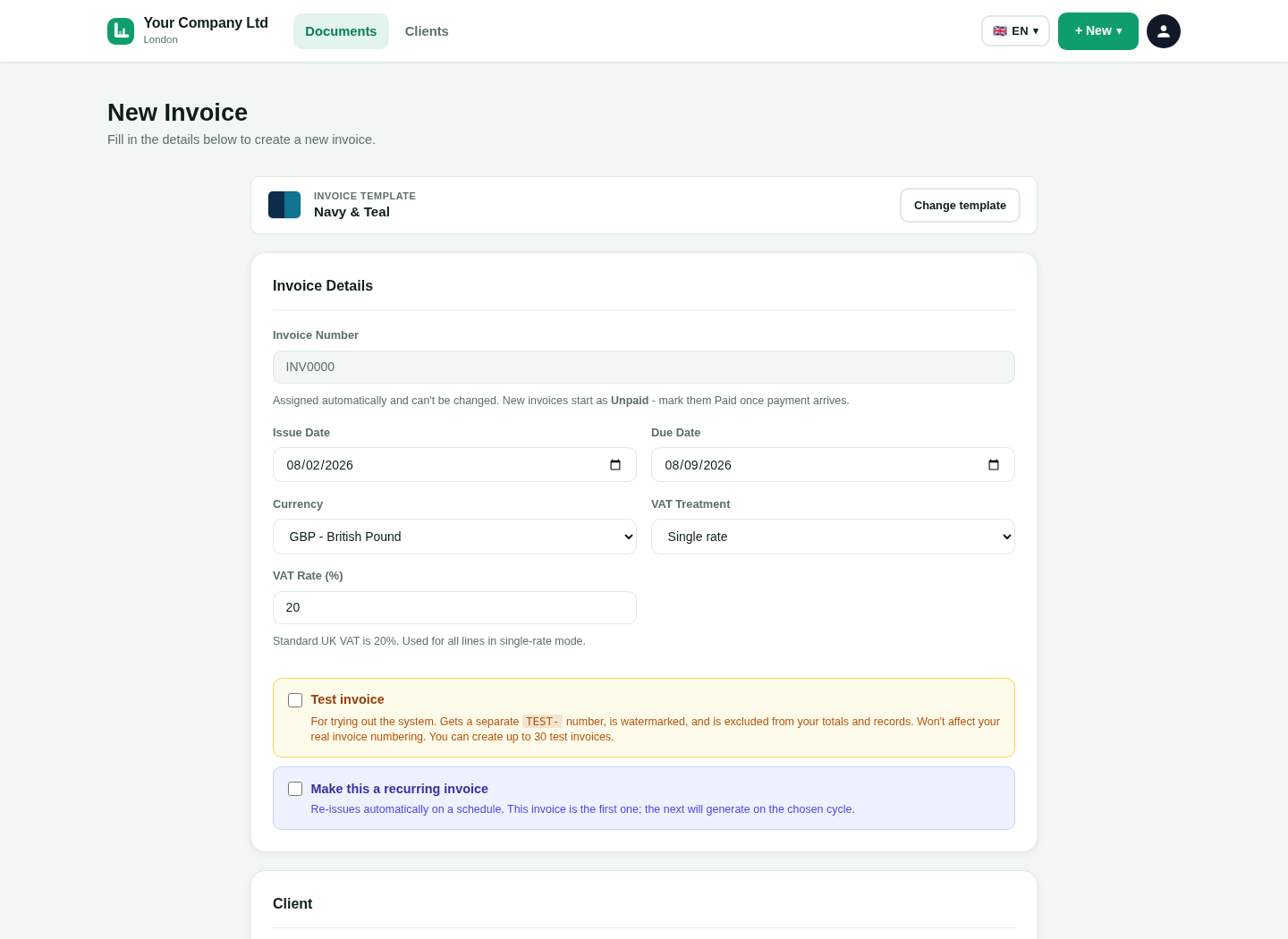
LingvaBill new invoice form
Actual product output.
18 interface languages
UK invoice tools
Phone, tablet and desktop
Real product visuals

Save your details once

Reuse the information that appears on every invoice.

Your name and trading name

Show the business identity that applies to your work.

Clear setupUse short labels and simple steps.
Easy to checkKeep important details visible.

Address and contact details

Keep your customer-facing details in one place.

Clear setupUse short labels and simple steps.
Easy to checkKeep important details visible.

Bank and payment details

Tell the customer how and when to pay.

Clear setupUse short labels and simple steps.
Easy to checkKeep important details visible.

VAT number

Add it when your business is VAT registered.

Clear setupUse short labels and simple steps.
Easy to checkKeep important details visible.

See the real LingvaBill workflow

This is a genuine capture from the platform. It uses the approved fictional seller and customer details.
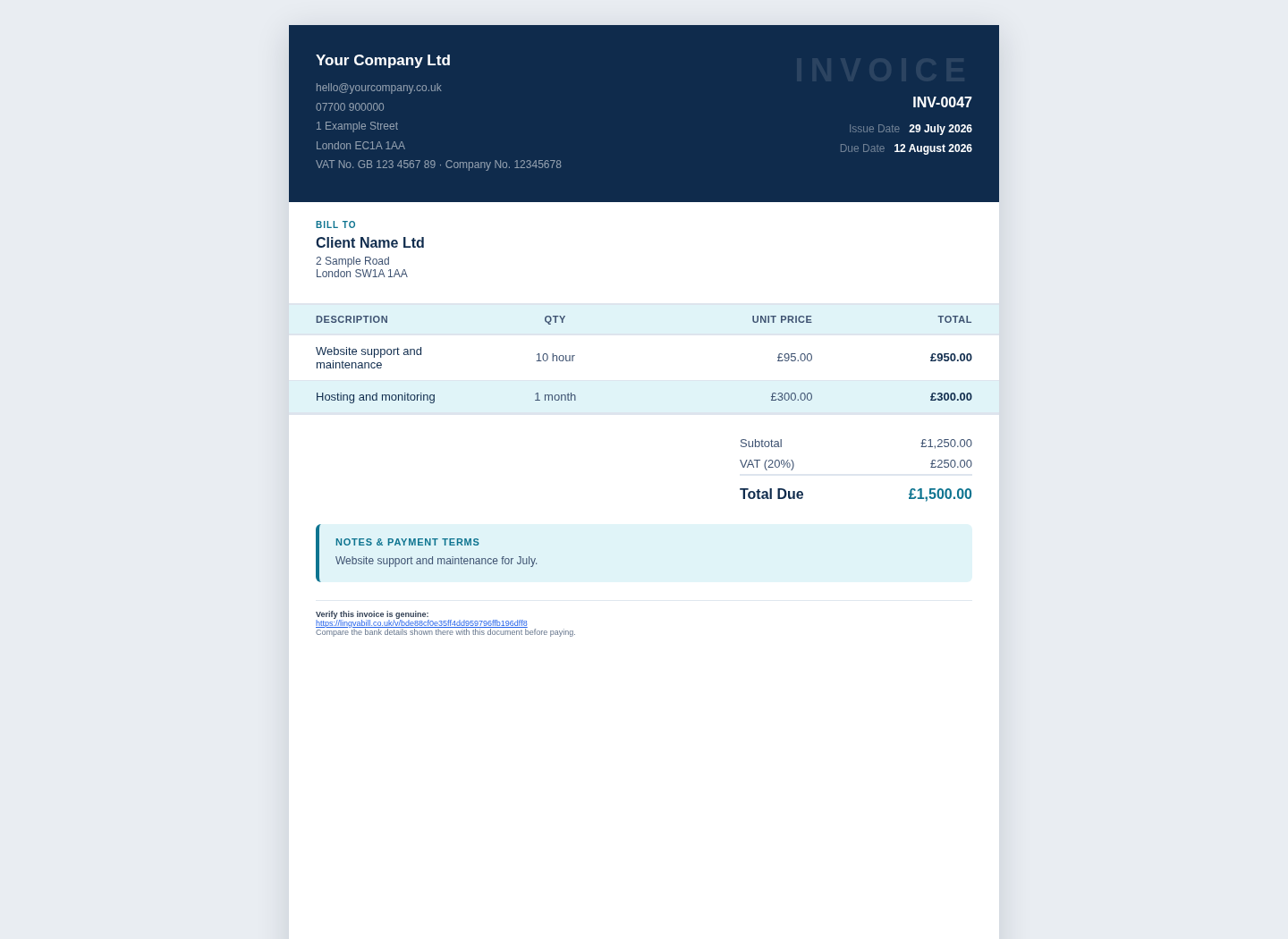
  • Your Company Ltd
  • Client Name Ltd
  • Invoice INV-0047
LingvaBill invoice showing Your Company Ltd and Client Name Ltd
Actual platform capture with demo data.

Create an invoice anywhere

Use LingvaBill on a phone, tablet or computer.

1

Clear mobile form

Fields stack into one column on a small screen.

2

Large touch controls

Buttons and inputs are easy to use by touch.

3

Saved customers

Reuse customer information for repeat work.

4

PDF output

Send a professional document without editing a template by hand.

Know what needs attention

Keep a simple view of invoice status.

1

Outstanding total

See how much customers still owe.

2

Overdue invoices

Find invoices that have passed the due date.

3

Paid invoices

Keep a record of completed payments.

4

Reminders

Follow up with a clear message when needed.

Questions and answers

Short answers in simple English.

Can I use my own name on an invoice?
Yes. Add your personal name and a trading name when you use one.
Do I need to be VAT registered?
No. Use the VAT features only when they apply to your business.
Can I invoice from my phone?
Yes. The invoice form is designed for small screens.
Can I download invoices as PDF files?
Yes. You can create a professional PDF for the customer.

Create your first sole trader invoice.

Start with 10 free invoices. No card is needed.