HOW IT WORKS

Create an invoice in four clear steps.

No complex setup. Add your business details and create your first invoice.
First 10 invoices freeNo card neededMobile friendly
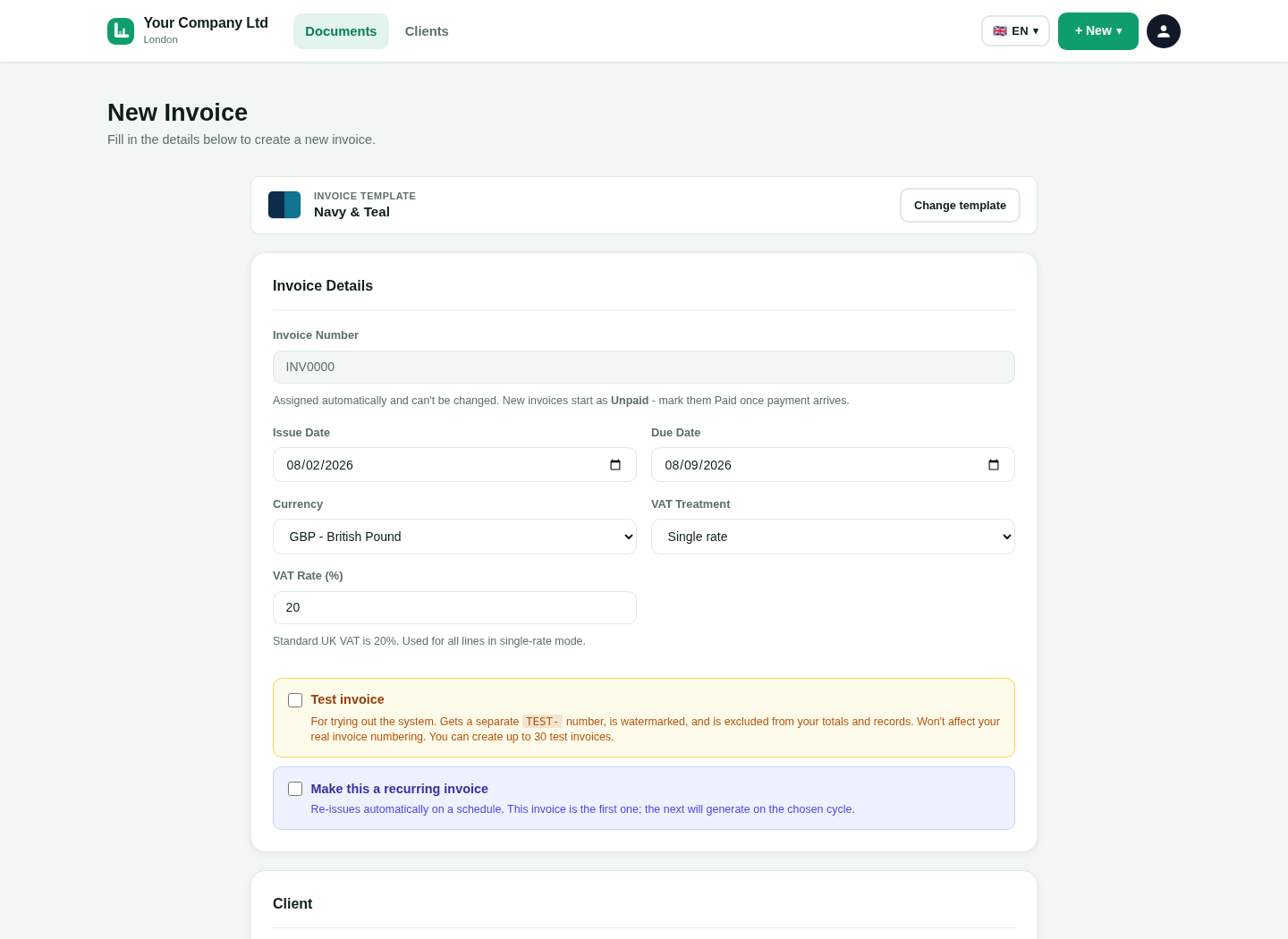
LingvaBill new invoice form
Actual workflow screen.
18 interface languages
UK invoice tools
Phone, tablet and desktop
Real product visuals

1. Choose your language

Open LingvaBill in the language that is easiest for you.

Select a language

Choose from 18 ready interface languages.

Change it later

Switch the interface language when your needs change.

Keep the invoice clear

The customer receives a professional English invoice.

See the real LingvaBill workflow

This is a genuine capture from the platform. It uses the approved fictional seller and customer details.
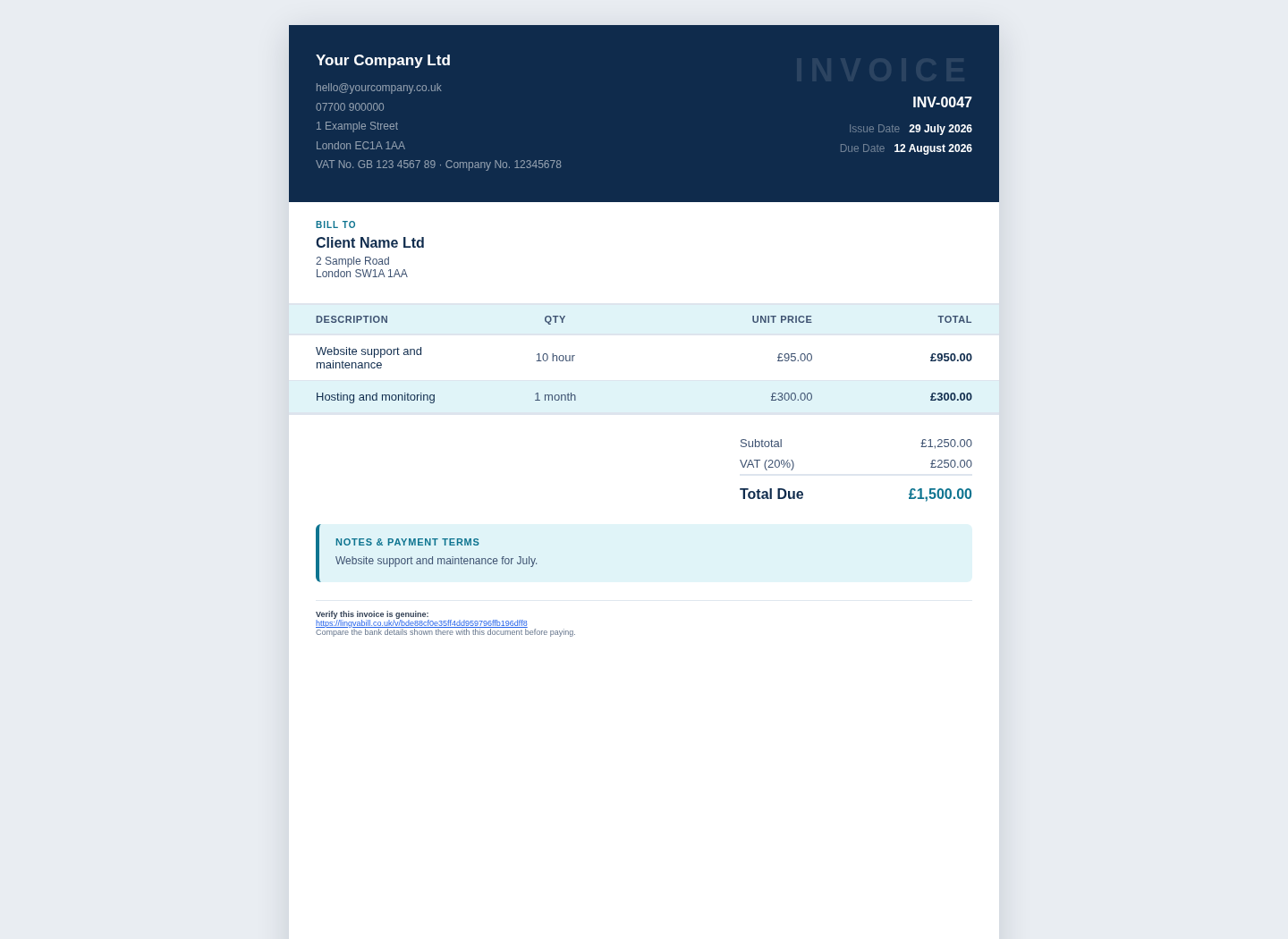
  • Your Company Ltd
  • Client Name Ltd
  • Invoice INV-0047
LingvaBill invoice showing Your Company Ltd and Client Name Ltd
Actual platform capture with demo data.

2. Add your business and customer

Enter the main details once and reuse them later.

1

Business details

Add your business name, address and payment information.

2

Customer record

Save the customer name, address and contact details.

3

Tax settings

Add VAT or CIS details when they apply to your business.

3. Add the work and price

Describe what you supplied and check the amount.

1

Item description

Add a short and clear description of the work or product.

2

Quantity and price

Enter the quantity, unit price and any discount.

3

Tax and deductions

Choose the correct VAT or CIS option and check the totals.

4. Send and track

Give the customer the invoice and follow its status.

1

Send a PDF

Download or email a professional PDF invoice.

2

Share an invoice link

Send a secure online link when that is easier.

3

Track payment

Mark the invoice as paid or use a verified online payment update.

Questions and answers

Short answers in simple English.

Do I need accounting knowledge?
No. The form uses clear labels and guides you through the main invoice details.
Can I save a customer for later?
Yes. Save a customer record and reuse it on future documents.
Can I check the invoice before sending it?
Yes. Review the details and totals before you send or download the invoice.
Can I create an invoice on a phone?
Yes. The form is designed to work on small screens.

Create your first invoice.

Start with 10 free invoices. No card is needed.